
Use cases · IoT Connectivity
IoT connectivity testing for NB-IoT and LTE-M devices
IoT connectivity testing proves that a device's SIM or eSIM profile attaches on NB-IoT or LTE-M in each market, delivers application traffic and stays connected for days, not minutes. SimCheck.ai tests this on real low-power IoT modems on live networks: force the radio technology, complete an MQTT publish/subscribe round trip, hold the attach for days on your own edge devices, and compare results across countries.
Low-power networks fail in low-visibility ways
Cellular IoT devices fail differently from phones. NB-IoT and LTE-M are deployed unevenly: one operator offers LTE-M but not NB-IoT, roaming agreements for low-power technologies are less widespread than for LTE, and band support varies by country. A device that worked on the bench can fail to attach in the field, attach but never pass data on its configured APN, or drop off the network after hours of sleep.
With nobody at the device to notice, these failures surface as silent gaps in telemetry — often weeks after deployment, in a country the engineering team has never visited. Lab tests and network simulators confirm the module follows the standard. They don't confirm that your SIM, your APN and your broker work on a particular operator's network in the field.
How IoT connectivity testing works
- 1
Choose the profile and market
Pick the SIM or eSIM profile your devices use and a location — on the SimCheck network or your own edge device — in the target country.
- 2
Force LTE-M or NB-IoT
Lock the radio technology, and optionally the operator by PLMN and the APN, so the test matches how your device is configured.
- 3
Prove traffic with MQTT
The IoT (MQTT) test attaches and completes a publish/subscribe round trip through a managed broker. Decoded signaling and packet captures explain any failure.
- 4
Hold it for days
On your own edge devices, a Persistent Attach run keeps the SIM attached, probes on an interval and logs every detach and failure cause.
What you can verify
NB-IoT and LTE-M attach
Force either technology and get registration state, operator, band and RSRP, RSRQ and SINR, with the decoded reject cause if the network refuses.
MQTT round trip
Publish and subscribe through a managed broker to prove application-level traffic, not just a data bearer.
APN validation
The APN is inherited from the profile's group or network and can be overridden per test, so a misconfigured APN shows up before devices ship.
Multi-day attach stability
Persistent Attach holds a SIM attached with a warm data bearer for hours or days, counting attaches, detaches, failures and probes.
Test on every re-attach
Fire a saved test each time the modem attaches, so you see how the service behaves from the moment the network comes back.
Multi-country comparison
Run one configuration across a cluster of sites and compare results by visited country and operator in reports.
Packet capture and signaling
Capture packets and signaling traces when you need the evidence behind a failure, not just the count.
Flows for device behavior
Chain attach, data and IoT primitives with delays, loops and assertions to model a device's report cycle: attach, publish, wait, repeat.
PSM, eDRX and other things to plan for
Power-saving behavior is where IoT field results most often differ from the lab. Treat these as test considerations for your program:
- Power Saving Mode (PSM). The device requests timers, but the network decides what it grants, and granted values can differ by operator. Confirm the device still reaches the network after its longest sleep.
- eDRX. Extended paging cycles delay how quickly a device receives downlink messages. Allow for that when you test commands sent to devices.
- Coverage. Deep-indoor devices may attach at very low signal levels. Record RSRP, RSRQ and SINR with each result so failures can be traced to coverage.
- APN and data path. Many IoT plans use private APNs, and a wrong APN registers but carries nothing.
- Roaming. Permanent-roaming deployments depend on the visited operator supporting your technology and on the agreement covering it.
SimCheck.ai measures attach, signal, traffic and stability on the live network; how your firmware negotiates PSM and eDRX timers stays part of your device test plan.
NB-IoT vs LTE-M at a glance
| NB-IoT | LTE-M | |
|---|---|---|
| Typical devices | Static, low-data sensors such as meters | Mobile or higher-data devices such as trackers |
| Mobility | Limited | Full mobility with handover |
| Peak data rate | Tens of kbit/s | Up to about 1 Mbit/s (Cat-M1) |
| Voice | No | VoLTE possible |
| Coverage | Designed for deep indoor | Good, typically less deep than NB-IoT |
| Roaming availability | Less widespread | More widespread |
Test the technology your devices actually use, in each country and on each operator, because availability differs. The NB-IoT vs LTE-M testing guide goes deeper.
Multi-country IoT deployments
A device shipped to many countries meets a different network, APN and roaming arrangement in each. A pattern that works:
- Group profiles by country or supplier, and run the same IoT (MQTT) configuration across a cluster so every market is tested in parallel.
- Force the expected operator by PLMN where your plan restricts partners, and leave selection automatic to see what a device would choose.
- If you are moving to SGP.32 to localize profiles per country, validate each operational profile with SGP.32 IoT eSIM testing.
- Place one edge device of your own where a key deployment sits, and use PLMN hunt and network monitoring for long-running stability.
Frequently asked questions
What is IoT connectivity testing?
IoT connectivity testing verifies that a device's SIM or eSIM attaches to the cellular network on the intended technology, typically NB-IoT or LTE-M, carries application traffic and stays connected over time, in every market where devices are deployed.
How do you test NB-IoT connectivity?
Use a modem that supports NB-IoT, force the radio technology, and check registration, band and signal. Then send real traffic, such as an MQTT publish/subscribe round trip, and repeat over days to catch detaches.
How do you test MQTT over cellular?
Attach on the cellular network with the device's APN, connect to an MQTT broker, publish a message and confirm it comes back on a subscription. SimCheck.ai's IoT (MQTT) test does this on LTE-M or NB-IoT through a managed broker.
Can you test PSM and eDRX behavior?
SimCheck.ai measures attach, signal, traffic and multi-day stability on live networks. PSM and eDRX timer negotiation is device firmware behavior, so include it in your device test plan alongside these network checks.
How long can a connectivity test run?
A Persistent Attach run on your own edge device lasts until you stop it, for a set duration or until a set time — hours or days. Its modem time doesn't consume tokens.
Which modems support NB-IoT and LTE-M testing?
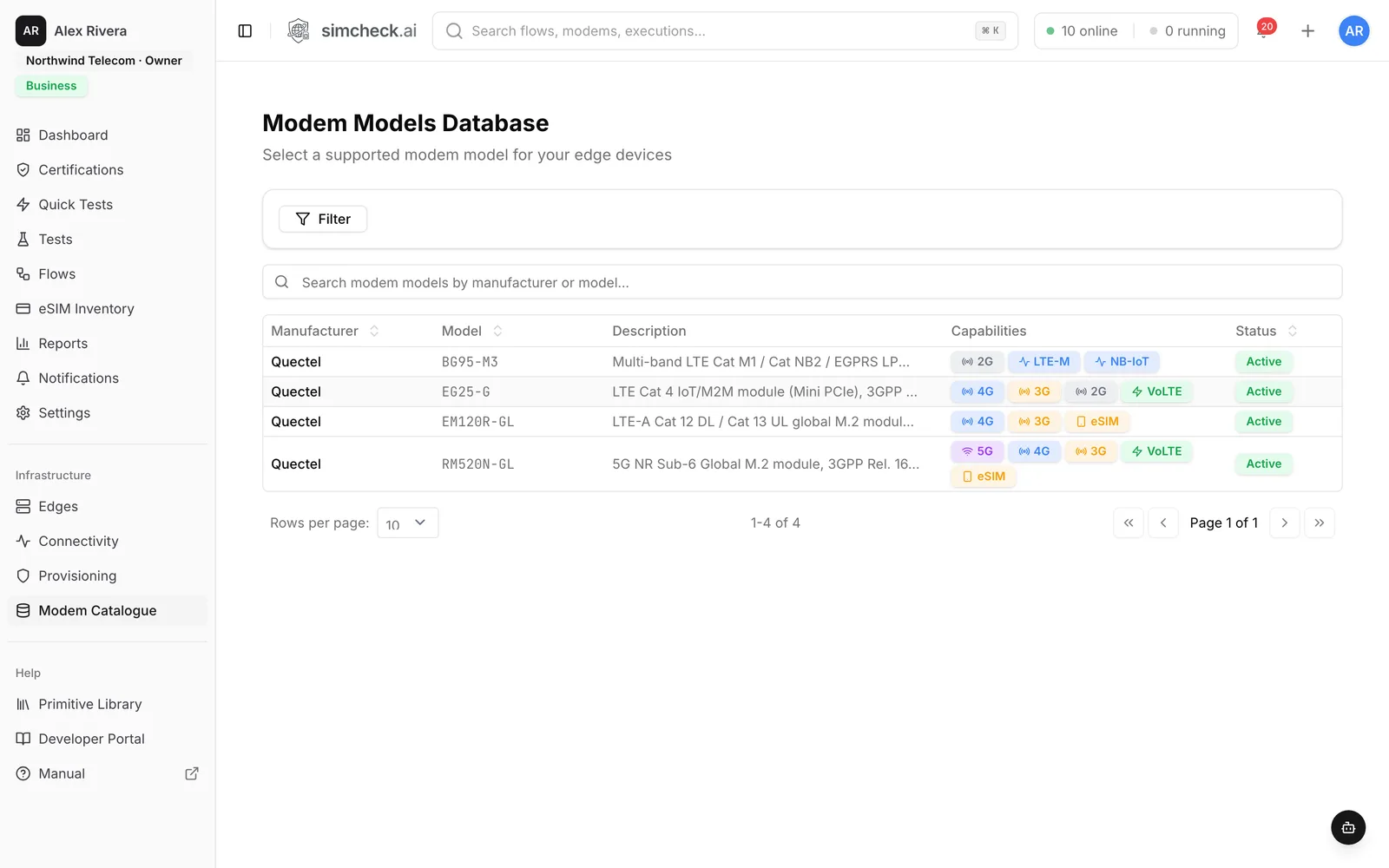
The Quectel BG95-M3 in the Modem Catalogue supports LTE-M and NB-IoT, plus 2G. The catalogue lists each module's technologies and bands so you can match your own edge to your devices.
Keep exploring
- LearnNB-IoT vs LTE-M: how they differ, how to choose and what to testNB-IoT vs LTE-M compared on bandwidth, speed, latency, mobility, voice, coverage, PSM/eDRX and roaming, plus what to test for each and how to force the RAT.
- Use casesSGP.32 IoT eSIM TestingProve SGP.32 profiles download via an eIM, switch cleanly, attach and pass MQTT traffic on live networks.
- Use casesPLMN Hunt & Network MonitoringHunt for partner or satellite networks and attach when they appear, or hold a SIM attached for days — on your own edges.
- GlossaryNB-IoT (Narrowband Internet of Things)NB-IoT is a 3GPP low-power wide-area cellular technology for IoT, using a 180 kHz channel for deep coverage and long battery life at low data rates.
- GlossaryLTE-M (LTE for Machines (LTE Cat-M1))LTE-M (LTE Cat-M1) is a 3GPP low-power cellular technology for IoT that supports mobility, voice and higher data rates than NB-IoT, using 1.4 MHz channels.
- SolutionsEnterprise IoT eSIM & Connectivity TestingValidate IoT eSIM connectivity at scale: NB-IoT, LTE-M and SGP.32 provisioning tests, scheduled monitoring and API/MCP automation on real cellular networks.
Prove your IoT connectivity before devices ship
Start a 30-day free trial, or talk to us about testing NB-IoT and LTE-M across your deployment countries.